Shopify Flow is powerful. It can tag orders, send notifications, manage inventory thresholds, and automate dozens of repetitive tasks — all without writing a single line of code. For many stores, it's enough.
But if you're running a high-volume D2C brand with COD confirmations, multi-courier routing, cross-store inventory sync, and RTO management — Flow hits a wall. Not because it's bad, but because it was designed for single-store simplicity, not multi-store operational complexity.
This guide helps you decide exactly when Flow is the right tool, when custom automation takes over, and how to architect a hybrid system that uses both.
Note
This isn't a "Flow is bad" post. Flow is excellent for what it does. The goal is helping you understand its boundaries so you don't spend weeks building Flow workflows that should be API-driven, or building custom code for tasks Flow handles in 5 minutes.
What Shopify Flow Can Do (Really Well)
Shopify Flow operates on a Trigger → Condition → Action model within a single Shopify store. Here's where it excels:
Order Tagging & Segmentation
- Trigger: Order created
- Condition: Order total > ₹5,000 AND payment method = COD
- Action: Add tag "high-value-cod" + add tag "priority-confirmation"
This is Flow's sweet spot. Zero code, instant setup, reliable execution.
Inventory Alerts
- Trigger: Inventory quantity changed
- Condition: Product inventory < 10 units
- Action: Send Slack notification to procurement team
Customer Segmentation
- Trigger: Order created
- Condition: Customer order count > 3
- Action: Add customer tag "loyal" + Add to "VIP Customers" segment
Fraud Flagging
- Trigger: Order created
- Condition: Order risk level = HIGH
- Action: Add tag "review-required" + Send email to operations
Simple Fulfillment Logic
- Trigger: Order paid
- Condition: All items in stock + Shipping zone = "Metro"
- Action: Auto-fulfill from primary warehouse location
Summary: Flow dominates single-store, event-driven automations where the logic is straightforward and the data lives entirely within Shopify.
Where Shopify Flow Breaks Down
Problem 1: Multi-Store Operations
Flow runs per store. If you have 5 Shopify stores (common for multi-brand D2C operators), you need to build and maintain the same Flow workflow 5 times. Change the logic? Update it 5 times.
Worse, Flow can't coordinate across stores. If Brand A shares inventory with Brand B, Flow on Store A can't check Store B's inventory levels before fulfilling.
Custom automation solves this: A centralized OMS like OrdersPilot connects all 5 stores via API and applies unified logic across them. One workflow, one codebase, one source of truth.
Problem 2: Complex Conditional Logic
Flow handles linear conditions well: IF this THEN that. But D2C operations rarely follow linear logic.
Real-world example — Courier Selection:
IF pin_code is serviceable by Delhivery
  AND Delhivery RTO rate for this pin_code < 12%
  AND order weight < 2kg
  AND current Delhivery queue < 500 pending pickups
THEN assign to Delhivery
ELSE IF pin_code is serviceable by Shiprocket
  AND order is prepaid (lower RTO risk)
THEN assign to Shiprocket
ELSE flag for manual assignment
This requires:
- External data (courier RTO rates, queue depth) that Flow can't access
- Weighted scoring across multiple variables
- Fallback logic with multiple levels
Flow's condition builder can't express this. You need custom logic backed by external data.
Problem 3: External System Integration
Flow can trigger HTTP requests (via the "Send HTTP request" action), but this is limited:
- No response handling (you can't read the courier API's response)
- No error handling (if the API fails, Flow doesn't retry or alert)
- No chaining (you can't use API response data in subsequent Flow actions)
Real-world example — Label Generation:
A proper automation flow for shipping label generation:
- Order confirmed → call Delhivery API with order details
- Read response → extract AWB number and tracking URL
- Store AWB back to Shopify order as metafield
- Generate PDF label from courier response
- Send tracking to customer via WhatsApp API
- Update order status in Shopify to "label generated"
- Handle errors → if API fails, retry 3x, then flag for manual processing
Flow can do step 1 (send HTTP request). Steps 2-7 require custom automation.
Problem 4: Stateful Workflows
Flow is event-driven and stateless. It reacts to events but can't track ongoing workflows that span multiple events over time.
Real-world example — Order Confirmation Lifecycle:
Order Created → Wait 15 min → Auto-assign to calling agent →
  Agent confirms → Send WhatsApp → Generate label
  Agent can't reach → Wait 2 hours → Retry call →
    Still no answer → Wait 4 hours → Final attempt →
      No answer → Auto-cancel order → Refund customer → Update inventory
This is a stateful workflow that spans hours, tracks multiple events, and changes behavior based on previous outcomes. Flow can't maintain this state between events.
Problem 5: Reporting & Analytics on Automations
Flow executes actions but doesn't aggregate data. You can't ask Flow:
- "How many orders were auto-tagged as high-risk this month?"
- "What's the average time from order creation to label generation?"
- "Which courier has the highest auto-assignment rate?"
Custom automation with an OMS tracks every action, timestamps every state change, and feeds it into analytics dashboards.
The Decision Framework
Use this table to decide which tool fits each automation need:
| Use Case | Shopify Flow | Custom / OMS | Why |
|---|---|---|---|
| Order tagging | ✅ Best | Overkill | Simple, single-store, event-driven |
| Low stock alerts | ✅ Best | Overkill | Native inventory trigger |
| Customer segmentation | ✅ Best | Overkill | Customer data lives in Shopify |
| Fraud flagging | ✅ Good | Better with data | Flow for basic, OMS for pin-code/history |
| Multi-store inventory sync | ❌ Can't | ✅ Required | Flow is single-store only |
| Courier auto-assignment | ❌ Can't | ✅ Required | Needs external courier data + scoring |
| Label generation | ❌ Can't | ✅ Required | Needs API response handling |
| Order confirmation lifecycle | ❌ Can't | ✅ Required | Stateful, multi-step, time-based |
| RTO prediction & prevention | ❌ Can't | ✅ Required | Needs historical data analysis |
| Cross-store analytics | ❌ Can't | ✅ Required | Flow doesn't aggregate data |
The Hybrid Architecture: Flow + OMS
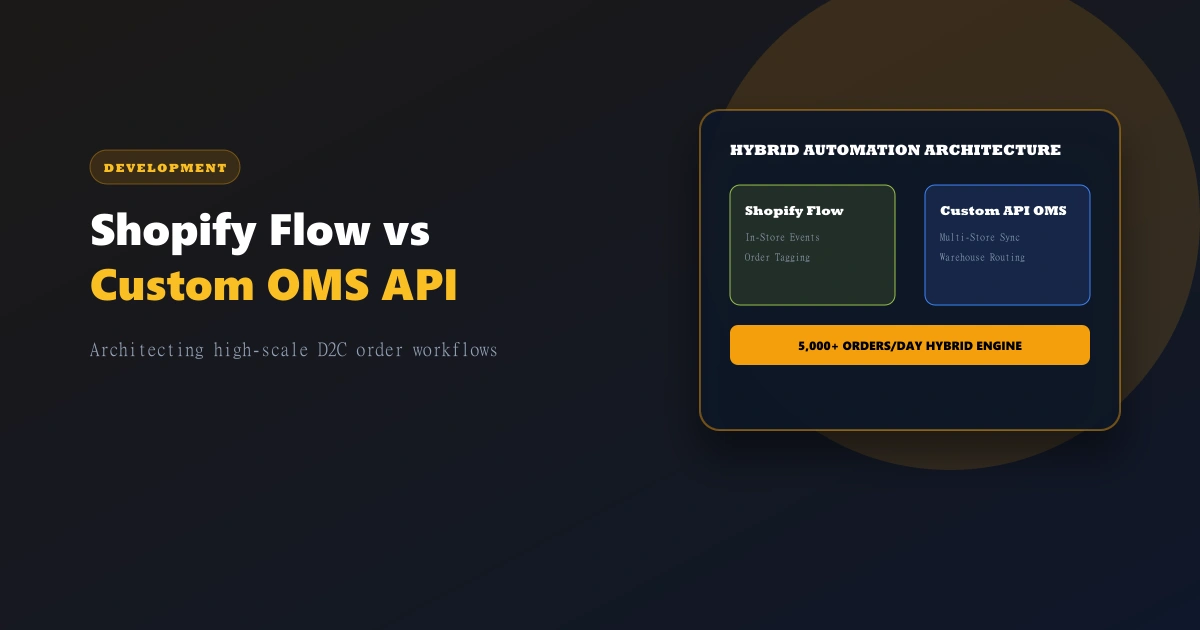
The smartest setup isn't either/or. It's a hybrid where Flow handles store-level triggers and your OMS handles cross-store orchestration.
How this works in practice:
SHOPIFY FLOW (per store):
  ├── Order created → Tag as "cod" or "prepaid"
  ├── Order created → Tag by product category
  ├── Inventory < 10 → Slack alert to procurement
  └── Customer order count > 5 → Tag as "loyal"

ORDERSPILOT (across all stores):
  ├── Order webhook received → Add to confirmation queue
  ├── Order confirmed → Assign courier via scoring algorithm
  ├── Label generated → Sync AWB to Shopify metafield
  ├── RTO detected → Update analytics + flag pin code
  └── Cross-store inventory → Real-time sync
Flow prepares the data inside Shopify (tagging, segmentation). OrdersPilot orchestrates the operational workflow across systems.
Tip
Pro tip: Use Flow to add tags that your OMS can read via the Shopify API. For example, Flow tags an order as "high-value-cod." OrdersPilot reads that tag and automatically assigns it to your best calling agent. Two systems working together, each doing what they're best at.
Common Anti-Patterns to Avoid
Anti-Pattern 1: Building a Rube Goldberg Machine in Flow
Don't chain 15 Flow nodes with HTTP requests, wait steps, and conditional branches to replicate what an OMS does natively. It's fragile, hard to debug, and invisible when it breaks.
Anti-Pattern 2: Custom-Coding What Flow Handles
Don't write API code to tag orders based on total amount. Flow does this in 30 seconds. Save your engineering bandwidth for problems Flow can't solve.
Anti-Pattern 3: Ignoring Flow's Rate Limits
Flow has execution limits. At very high volume (5,000+ orders/day), Flow workflows can queue and delay. For time-sensitive automations (confirmation calls, label generation), use webhook-driven custom automation that scales with volume.
Anti-Pattern 4: No Error Visibility
Flow doesn't have robust error monitoring. If a Flow workflow fails silently, you might not know for days. Custom automation should include error handling, retries, and alerting. OrdersPilot logs every webhook event, every API call, and every failure.
Getting Started: Implementation Path
If you're starting from zero:
- Implement Shopify Flow for basic tagging and alerts (1-2 hours)
- Connect Shopify to OrdersPilot via custom app API (30 minutes)
- Set up webhooks for real-time order sync (20 minutes)
- Configure OrdersPilot workflows for confirmation, courier assignment, and labeling (1-2 days)
- Test the hybrid — verify Flow tags are read correctly by OrdersPilot
If you're migrating from spreadsheets:
- Start with OrdersPilot — it solves the biggest pain first (manual processing cost)
- Add Flow for simple triggers — once the core workflow is automated
- Phase out spreadsheets — OrdersPilot replaces the spreadsheet, Flow replaces the manual tagging
Frequently Asked Questions (FAQ)
1. Can Shopify Flow handle everything for a small D2C brand?
For brands processing under 200 orders/day with a single Shopify store, prepaid-only payments, and a single courier partner — yes, Flow combined with native Shopify fulfillment is often sufficient. Once you add COD confirmations, multi-courier routing, or a second Shopify store, you'll need custom automation.
2. Does OrdersPilot replace Shopify Flow?
No. They complement each other. OrdersPilot handles cross-store orchestration, courier integration, calling team management, and analytics. Flow handles in-store triggers like tagging, segmentation, and simple notifications. The best implementations use both.
3. How do I know when I've outgrown Shopify Flow?
Three signs: (1) You're building multi-step Flow workflows with HTTP requests to external services, (2) You're maintaining the same Flow across multiple stores, (3) Flow failures are causing operational problems that you discover hours or days later.
Related Guides
- How to Setup Shopify Webhooks for Real-Time Automation: The bridge between Shopify and external automation systems.
- How to Create a Shopify Custom App & Generate API Keys: Secure API access for custom integrations.
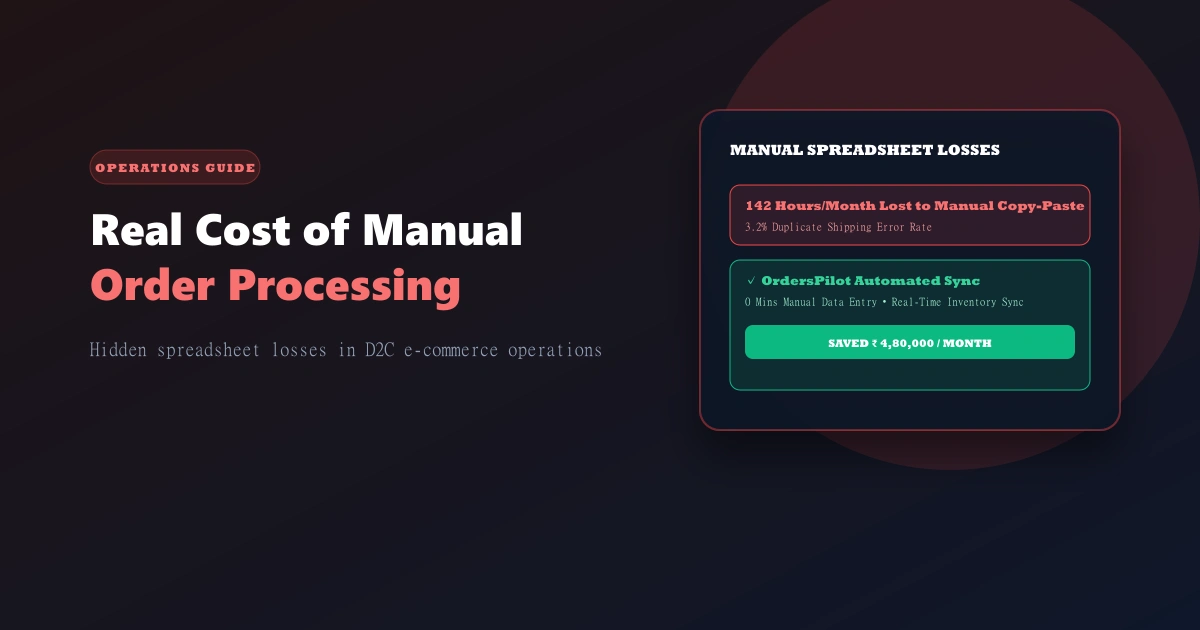
- The Real Cost of Manual Order Processing: Why automation (Flow or custom) is worth the investment.
Ready to build the right automation stack for your Shopify brand? Schedule a demo to see how OrdersPilot works alongside Shopify Flow to handle the complex workflows that Flow can't touch.
Author
Tech Team
Deeply passionate about optimizing e-commerce logistics and building systems that help D2C founders regain control of their operations.
Enjoyed this article?
If you found this helpful, share it with your network and help other Shopify founders scale their operations.
Recommended Articles
Continue your journey with more insights from our team.