When your Shopify store scales past 500 orders a day, your warehouse packing table quickly becomes a bottleneck.
Without a physical inventory allocation system, pickers grab items off shelves, dump them on packing tables, and packers spend minutes matching items to printed invoice slips. The result? Wrong items packed, missing freebies, wrong sizes shipped, and high customer return rates.
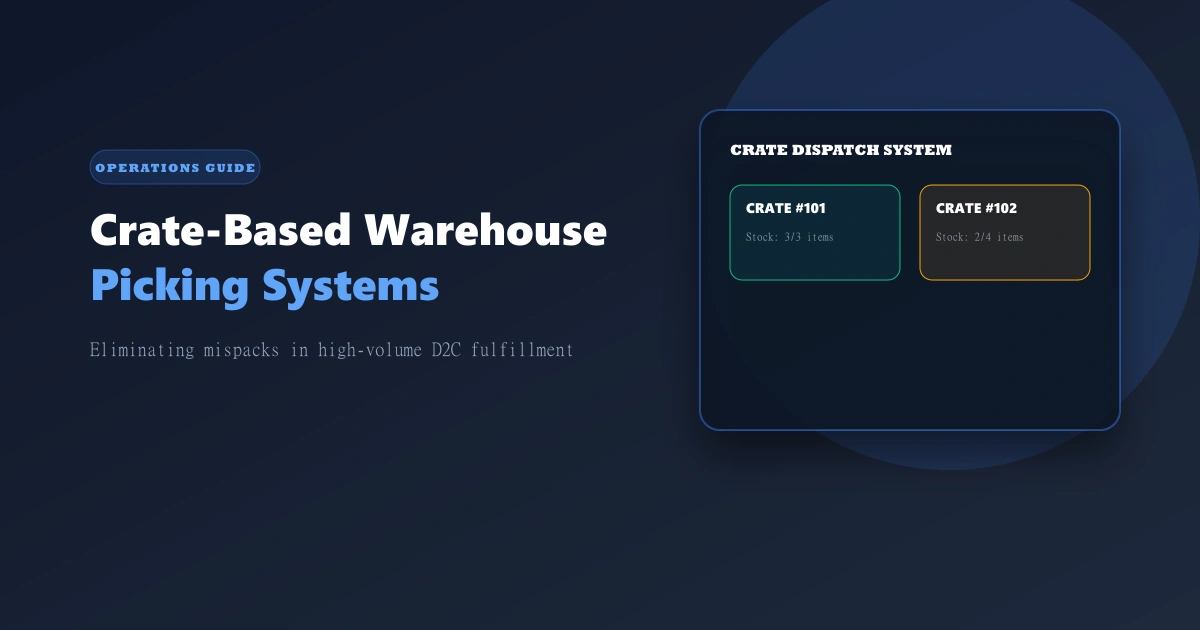
Crate-based warehouse picking solves this by creating a direct 1-to-1 link between a physical crate and an assigned order before items leave the shelf.
Note
OrdersPilot incorporates native Crate & Bin Allocation (Crate & StockDispatch modules), allowing warehouse teams to assign specific capacity limits to physical crates and track stock allocation in real time.
What is Crate-Based Warehouse Picking?
Instead of bulk picking orders and sorting them on a table, crate picking divides the warehouse dispatch area into physical, numbered crates or bins.
[Order Confirmed] ➔ [Assigned to Crate #104] ➔ [Picker collects exact items into Crate #104] ➔ [Packer scans Crate #104 & prints waybill]
Each crate has a fixed limit (crateLimit) and tracks available space (availableLimit). When an order is confirmed, items are reserved in that specific crate until shipping labels are generated.
Comparison: Open-Table vs. Crate-Based Picking
| Open-Table Sorting (Chaos) | OrdersPilot Crate Picking (Control) |
|---|---|
| 3-5% Packing Error Rate | <0.05% Packing Error Rate |
| Manual matching of items to invoices | Barcode/Crate scanning auto-prints shipping label |
| High physical table space required | Compact vertical crate racks |
| No visibility on missing items | Real-time incomplete crate alerts |
3 Key Steps to Implement Crate Picking in Your Warehouse
1. Define Crate Groups & Capacity Limits
Set up physical racks with standardized crates numbered 1 to 500. Define crate limits based on physical item size (e.g., a crate holds 5 apparel items or 10 cosmetics items).
2. Auto-Assign Stock to Crates Upon Confirmation
When an order moves to "Ready to Dispatch" in OrdersPilot, the system assigns the items to an available crate ID (crateId). The picker receives a consolidated pick list organized by warehouse aisle, placing each item directly into its assigned crate.
3. Single-Scan Packing & Waybill Printing
When the crate arrives at the packing station, the packer simply scans the Crate ID. OrdersPilot verifies that all items are present, triggers the courier API (Delhivery or Shiprocket), and instantly prints the shipping waybill label.
Warning
Packing errors don't just cost the price of return shipping — they cost customer trust. A customer who receives the wrong size or color is 60% less likely to re-order from your D2C brand.
Frequently Asked Questions (FAQ)
1. How many crates does a brand doing 1,000 orders/day need?
Typically, a 1,000 order/day operation needs 150-250 active crates, as crates are recycled continuously throughout the dispatch shifts.
2. Can crate picking handle multi-item orders with add-ons?
Yes! When phone confirmation teams add an add-on item to an existing order, OrdersPilot updates the crate allocation so the picker collects the main product and the add-on together.
Related Operations Guides
- Automated Shipping Labels & Waybills: Printing thermal labels at scale.
- Scaling D2C Infrastructure from 500 to 5,000 Orders: Warehouse and logistics scaling secrets.
Want to eliminate warehouse packing errors? Schedule a demo with OrdersPilot to see our crate dispatch system live.
Author
Tech Team
Deeply passionate about optimizing e-commerce logistics and building systems that help D2C founders regain control of their operations.
Enjoyed this article?
If you found this helpful, share it with your network and help other Shopify founders scale their operations.
Recommended Articles
Continue your journey with more insights from our team.